
Choosing the best immigration CRM usually comes down to three questions most feature lists never answer: can I see what's actually happening in my office today, does the system keep clients warm without my team chasing them, and do I control my own data?
This post covers what's new in InfraBit Immigration CRM in 2026 — a rebuilt operations dashboard, automated client interaction emails, case archiving with direct upload to Google Drive or OneDrive, and geo-fenced attendance — and why each one matters when you're comparing platforms.
1. A dashboard built for daily operations, not vanity metrics
Most CRM dashboards show you totals. Totals don't tell you what to do at 9am on a Tuesday.
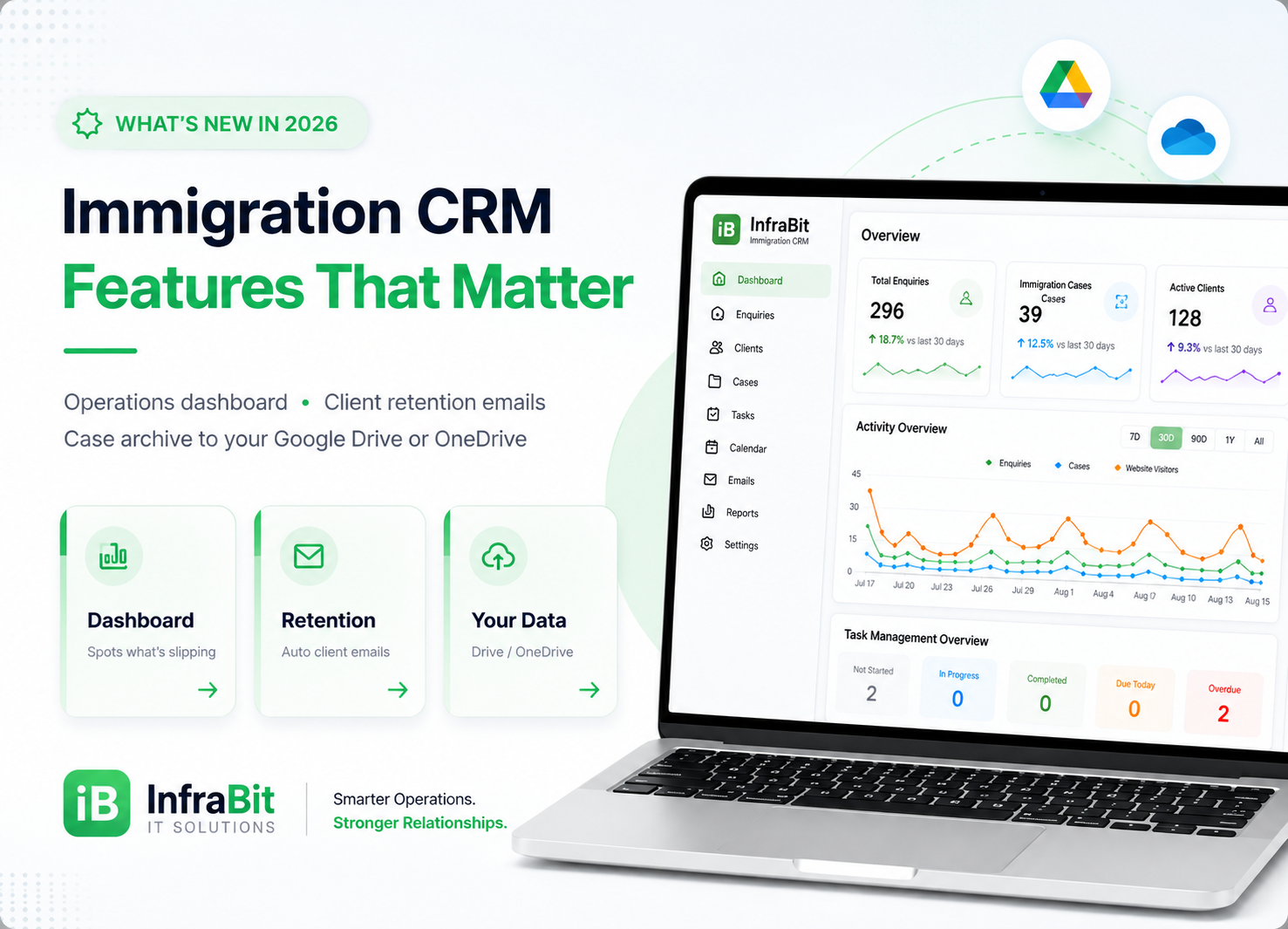
The rebuilt InfraBit dashboard leads with headline counters — total enquiries, immigration cases, appointments and website visitors — each with a trend against the previous 30 days and a sparkline, so a drop is visible immediately rather than at month end. An activity chart plots enquiries, cases and website visitors together across 7, 30 or 90 days, a year, or all time.
Beneath that sits the part your counsellors actually use — Today's Enquiries & Follow-ups:
- Today's enquiries and today's pending follow-ups
- Overdue follow-ups flagged as requiring attention
- Unassigned enquiries awaiting assignment, plus an assignment report showing unassigned clients
- Expiring soon — cases approaching a deadline, with expired ones called out
- Cases this month, my cases, and enquiries converted today
That single panel answers the question a manager actually has: what is falling through the cracks right now? An enquiry sitting unassigned for three days is a lost client; a dashboard that surfaces it is worth more than one that reports a bigger number.
Alongside it, a task overview breaks work into not started, in progress, completed, due today and overdue; a recent activity feed logs case status changes and new enquiries as they happen; and a quick-actions bar puts add enquiry, add client, schedule meeting, create task, upload document, send email and generate report one click away.
2. Client retention: automated interactions that run without your team
Retention in immigration is rarely lost to bad service. It's lost to silence — the four days between an enquiry arriving and someone finding time to reply.
InfraBit's client interactions module closes that gap with event-triggered emails. Each rule fires automatically when its event occurs — for example New Enquiry Created — with a toggle to switch automation on or off per rule, so you stay in control.
Every rule includes:
- An editable subject line and HTML body, personalised with variables —
{{name}},{{email}},{{phone}},{{course}},{{country}},{{source}}and{{company}} - The option to send a designed image (a poster or flyer) as the email body instead of text
- Attachments sent with every email from that rule — a brochure or checklist, for instance
- A send-test function so you see the real email before a client does
- A delivery log showing when each email went out, to whom, and whether it sent
The practical effect: an enquiry that arrives at 11pm gets a personalised acknowledgement at 11pm, not at 10am the next working day — and your team's first call is to someone who already knows they've been heard.
3. Your data, in your own Google Drive or OneDrive
This is the feature we'd argue most immigration consultancies should be asking about and almost never do: where does your client data live, and can you get it out?
Immigration files are heavy — passports, transcripts, financial statements, embassy correspondence — and they accumulate for years after a case closes. Two things follow: server storage fills up, and you become dependent on a vendor to hold documents you are legally responsible for.
InfraBit's Archive Manager addresses both. It lists every case folder with its size, file count, last activity date and current status, filterable by name or activity date, across clients, B2B partners and assessments. From there you can:
- Download any case as a zip to your own computer
- Upload selected cases — or all of them — directly to your Google Drive or OneDrive
- Delete from the server once archived, freeing space, with the tracker showing how much has been reclaimed
The workflow is deliberately two-step: archive first, delete second. Deletion from the server is permanent, and the interface says so plainly rather than burying it.
Why this matters when comparing platforms: it means closed cases live in your cloud account, under your organisation's control and retention policy, while your CRM stays fast and lean. You are not paying storage rent for a case that closed in 2023, and you are not asking a vendor's permission to access your own records.
4. Geo-fenced attendance for teams that work from the office
For consultancies running attendance through the CRM, geo-fencing restricts employee check-in to defined office locations. You add each office by name with its latitude and longitude — or capture it with one click from your current location — and set a radius in metres, typically 100–300m for an office.
It's off by default, and the system says so clearly: with geo-fencing disabled, employees can log in from anywhere. Individual employees can be excluded from enforcement, which matters for field staff and remote counsellors. A check-in log records the result.
Honest note: geo-fencing suits offices with fixed premises and in-person teams. If your counsellors work remotely, leave it off — enforcing it badly creates friction without adding control.
What this means when you're comparing immigration CRMs
If you're evaluating the best immigration CRM for your consultancy, these four capabilities are worth adding to your comparison checklist regardless of which vendor you choose:
- Does the dashboard surface work that's slipping — unassigned enquiries, overdue follow-ups, expiring cases — or only totals?
- Do client emails fire automatically on events, with personalisation, attachments and a delivery log you can audit?
- Can you export closed cases to your own cloud storage, and delete them from the vendor's server afterwards?
- Is attendance enforcement optional and per-employee, rather than all-or-nothing?
Question three is the one that separates vendors most sharply. Many platforms will let you export a spreadsheet of records; far fewer will hand you the complete case folders, with documents, straight into your own Drive or OneDrive.
Frequently asked questions
Can I back up immigration case files to Google Drive or OneDrive?
Yes. InfraBit Immigration CRM's Archive Manager lets you upload selected case folders — or all of them — directly to your own Google Drive or OneDrive, or download them as zip files to your computer. Once archived, cases can be deleted from the server to free storage space, and the system tracks how much space has been reclaimed.
What does the client retention module do?
It sends automated, personalised emails when events occur in the CRM, such as a new enquiry being created. Each rule has an editable subject and HTML body with variables for the client's name, email, phone, course, country, source and your company name, plus optional image bodies and file attachments. Every send is logged, and you can send a test to yourself first.
Which metrics does the immigration CRM dashboard show?
Total enquiries, immigration cases, appointments and website visitors with 30-day trends, an activity chart across 7/30/90 days, a year or all time, a task overview (not started, in progress, completed, due today, overdue), and an operational panel covering today's enquiries, pending and overdue follow-ups, unassigned enquiries, cases expiring soon, cases this month and enquiries converted today.
Can employees be restricted to checking in from the office?
Yes, using geo-fencing. You define office locations by coordinates with a radius in metres, and employee check-in is restricted to those areas. It is disabled by default, and individual employees can be excluded from enforcement — useful for remote or field staff.
Is deleting an archived case from the server reversible?
No. Deletion from the server is permanent, which is why the workflow is deliberately two-step: download or upload the case to your own storage first, confirm you have it, then delete to free space.
See the platform
These features are part of InfraBit Immigration CRM, deployed white-label on your own branded subdomain. See the full feature list and live pricing, or read our plan-by-plan pricing breakdown.
Still shortlisting vendors? Our honest comparison of the best immigration CRM options in India reviews seven platforms including ours, and our Canada guide covers RCIC-focused tools. If you work with sub-agents, see how the B2B partner portal handles case submission and commissions.