
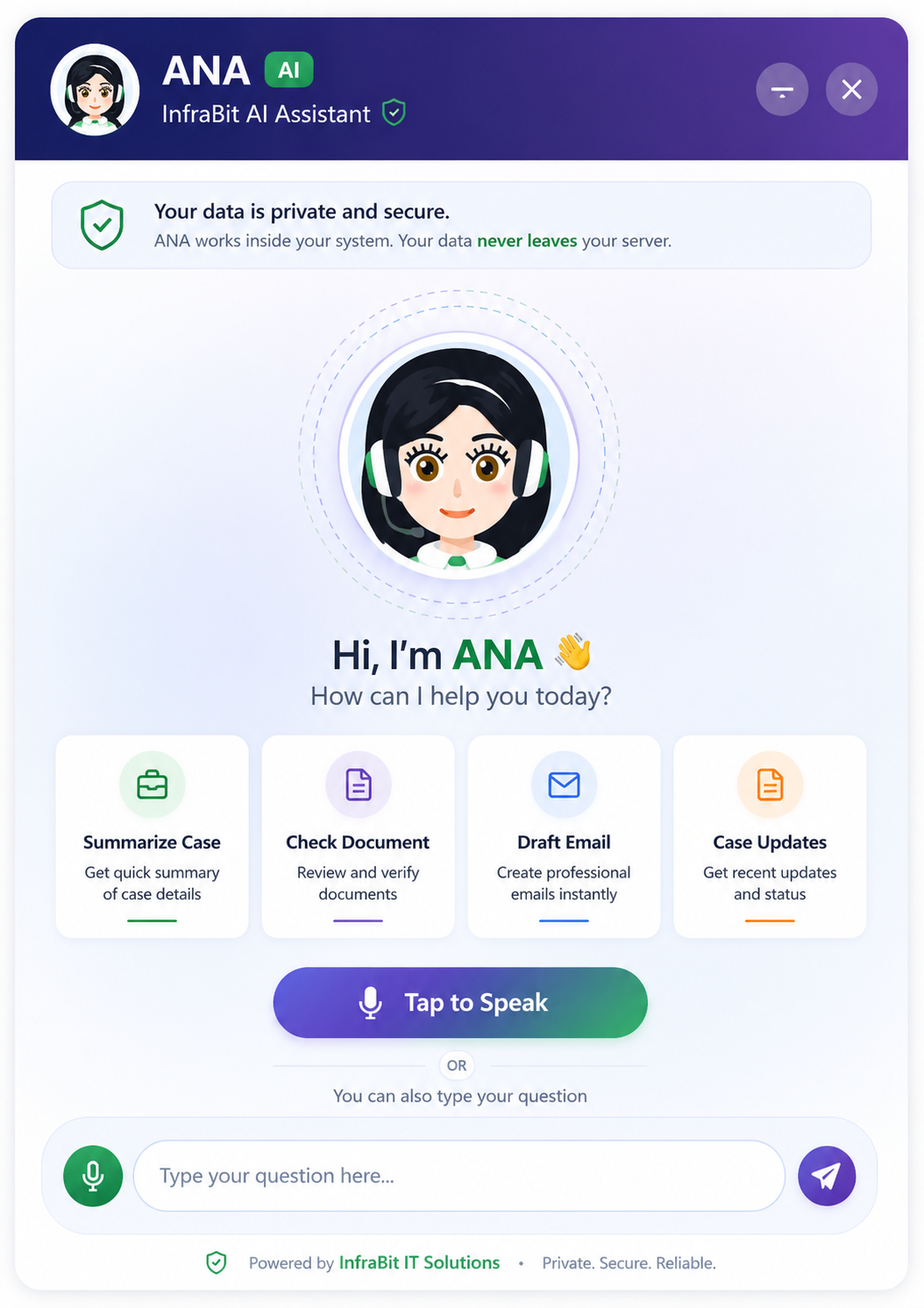
The InfraBit Immigration CRM is now AI-enabled. ANA, the assistant already built into the platform, has been extended: she now answers questions about your CRM data and drafts your client emails — and she does it without sending a single client record to an AI vendor.
What is new in this release:
- Ask your CRM a question. "How many enquiries today?" "Today's appointments." "Enquiry 18." Answered from your own database, inside your own CRM.
- AI email drafting. "Write a welcome email for a new enquiry" returns a usable draft in seconds.
- Feature explanations for staff. Ask what something on the dashboard does and ANA explains it in plain language.
- Voice in and voice out. Speak the question, hear the answer.
- No new cost. Runs on a free AI tier with a hard daily cap built on top.
Every CRM vendor added AI in the last two years. For most industries that is harmless. For immigration consultancies it raises a question nobody asks loudly enough: if the assistant can read your case files, where do those case files go?
An immigration CRM holds passport numbers, refusal histories, financial documents and family details. Sending that to a third-party AI API so a chatbot can summarise it is a decision with consequences, and it is usually made quietly, buried inside a feature announcement.
So here is ours, stated plainly. ANA runs on two separate engines, and only one of them ever touches the internet.
Engine one: your data, answered inside your own CRM
Ask ANA about your CRM and the answer is produced by a query against your own database, on your own hosting. Nothing leaves the server. No API is involved at all.
She handles the questions a consultant actually asks during a working day:
- Counts. "How many enquiries?" "How many appointments?" "How many cases?" — enquiries, clients, students, leads, tasks, appointments, immigration cases, visa applications, interviews, courses, batches, departments and campaigns are all countable.
- Today's work. "Today's tasks", "today's appointments", "pending tasks" — the day's schedule without opening three screens.
- Record lookup. "Enquiry 18", "appointment 42", or simply a client's name, phone number, passport number or email. She returns the record with context attached: a client comes back with a document count, an employee with their attendance summary, a lead with its follow-up history.
- Lists. "Show me all appointments", "all enquiries" — the same data the module pages show, reached by asking.
Two things matter about how this is built. First, every answer respects the permissions of the person asking. ANA checks table access and role permissions before returning anything, so a counsellor who cannot see all enquiries does not see them through the assistant either — the Unassigned tile even relabels itself to "Unassigned (yours)" for those users. An assistant that quietly bypasses your access model is a data breach with a friendly face.
Second, financial fields are stripped from records ANA returns. Salary and fee data belongs on the screens built to control who sees it.
Engine two: drafting, with no client data attached
The second engine is a genuine AI model, used for one job: writing. "Write a welcome email for a new enquiry." "Draft a follow-up for a client waiting on biometrics." "Write a polite chase for missing documents."
Here is the part that matters. This engine never touches your database. Ask it for an email for enquiry 943 and it does not look up 943. It returns a draft with [Client Name], [Appointment Date] and [Consultant Name] placeholders for you to fill in.
That is not a limitation we are apologising for — it is the whole design. Placeholders cost nothing and leak nothing. You get the paragraph you did not want to write, and no passport number ever reaches an external API. The counsellor pastes the draft, fills three fields, and sends it from the CRM's own email tools.
The cost problem, and the hard cap
The reason most small consultancies avoid AI features is not privacy. It is the bill.
ANA's writing engine runs on Google Gemini's free tier — 1,500 requests a day, no card required. On top of that there is a hard local cap: once the day's allowance is used, the proxy stops calling out and says so plainly. It cannot quietly run up a charge while you are asleep.
The API key is stored encrypted, using the same encryption that protects the payment and OAuth secrets, and is never displayed again after you save it. If you would rather it never sat in the database at all — database backups travel, after all — you can put it in a server config file instead and the CRM will prefer that.
And with no key configured at all, nothing breaks. ANA falls back to her built-in answers and the local search keeps working exactly as before. The AI is an addition, not a dependency.
She also explains the CRM to your staff
This turned out to be the sleeper feature. Ask "what is the enquiry funnel" or "what is staff workload" or "what's new" and ANA explains the feature in plain language, including the parts people misread.
The No Contact Yet tile is a good example. Staff routinely assume it overlaps with Overdue Follow-ups. It does not: overdue counts follow-ups whose date has passed, while No Contact Yet counts enquiries nobody has ever logged a follow-up against — those have no record at all, so they never appear in the overdue list. An enquiry can sit invisible for weeks on that misunderstanding. ANA explains the difference the moment somebody asks, which is roughly a thousand times cheaper than training.
What the dashboard shows before you ask anything
ANA answers questions, but the dashboard answers the obvious ones first. The Today's Enquiries and Follow-ups panel carries the numbers a manager checks on arrival:
- Today's Enquiries — what came in since midnight.
- Unassigned Enquiries — the pile with no owner, and how old the oldest one is.
- Today's Follow-ups and Overdue Follow-ups — what is due and what has already slipped.
- Converted Today — the number that decides whether it was a good day.
- Cases This Month — case volume against the month.
- Total Outstanding — money owed, for the people who need to see it.
Underneath, a trend chart tracks enquiries, cases and website visitors on the same timeline, and Recent Activities logs what staff have been doing. Every tile is clickable and opens the list filtered to exactly that set, so a number is never a dead end.
Voice, because typing is not always practical
ANA takes spoken input and answers aloud. In a busy branch office with a client in front of you, "today's appointments" spoken out loud is faster than four clicks. The speech handling runs in the browser, so it adds no per-minute cost.
What we deliberately did not build
An honest list, because feature pages that only list wins are not worth reading:
- ANA does not write to your database. She reads and drafts. No agent silently changing case statuses.
- She does not summarise case files. That would require sending case files somewhere, which is the thing we are refusing to do.
- She does not send anything on your behalf. Drafts are drafts until a human presses send.
- She does not predict visa outcomes. No model should, and any CRM claiming otherwise is selling you a liability.
If you are evaluating CRMs, ask each vendor exactly one question: does your AI feature send client records to an external API, and if so, which one and under what retention terms? The answers are revealing. For a wider view of what to look for, see our guide to the best immigration CRM for consultants, and the pricing page for what the platform costs with all of this included.
Frequently asked questions
Does the AI assistant send client data to an external service?
No. ANA has two separate engines. Questions about your data — counts, today's appointments, record lookups — are answered by a query against your own database inside your own CRM, with no external call at all. The AI writing engine is the only part that reaches the internet, and it never receives client records: requests for an email about a specific enquiry come back as a template with placeholders like [Client Name] rather than real details.
What can I ask the CRM assistant?
Counts across enquiries, clients, students, leads, tasks, appointments, immigration cases, visa applications, interviews, courses and campaigns. Your day, through "today's tasks" or "today's appointments". Individual records by name, phone number, passport number, email, or by id such as "enquiry 18". She also explains how CRM features work when staff ask what something does.
Does the AI feature cost extra?
The writing assistant runs on Google Gemini's free tier, which allows 1,500 requests a day without a payment card. The CRM adds its own hard daily cap on top, so once the allowance is used it stops calling out rather than incurring charges. If no key is configured, the assistant still works using built-in answers and local search.
Can staff use the assistant to see records they are not allowed to see?
No. Every answer runs through the same permission and table-access checks as the rest of the CRM, so a counsellor restricted to their own enquiries gets only their own through the assistant. Financial fields are stripped from records the assistant returns, so salary and fee data stays on the screens built to control access to it.
Can the AI update records or send emails automatically?
No, by design. The assistant reads and drafts; it never writes to the database and never sends anything on its own. A draft stays a draft until a person reviews it and presses send. It also does not attempt to predict visa outcomes, which is not something any model should be doing inside a consultancy's workflow.